

In healthcare, wellness, and medical aesthetics, your website is far more than a digital brochure—it is the front door to patient trust. Yet for many clinics, medspas, behavioral health providers, and healthcare startups, that front door is accidentally left unlocked.
When a prospective patient fills out a consultation form, clicks on a condition-specific treatment page, or interacts with a live chat widget, sensitive data is transmitted across the web. Without proper healthcare website security, even a well-intentioned marketing website can trigger massive regulatory fines from the U.S. Department of Health and Human Services (HHS) Office for Civil Rights (OCR), costly class-action lawsuits, and irreversible reputational damage.
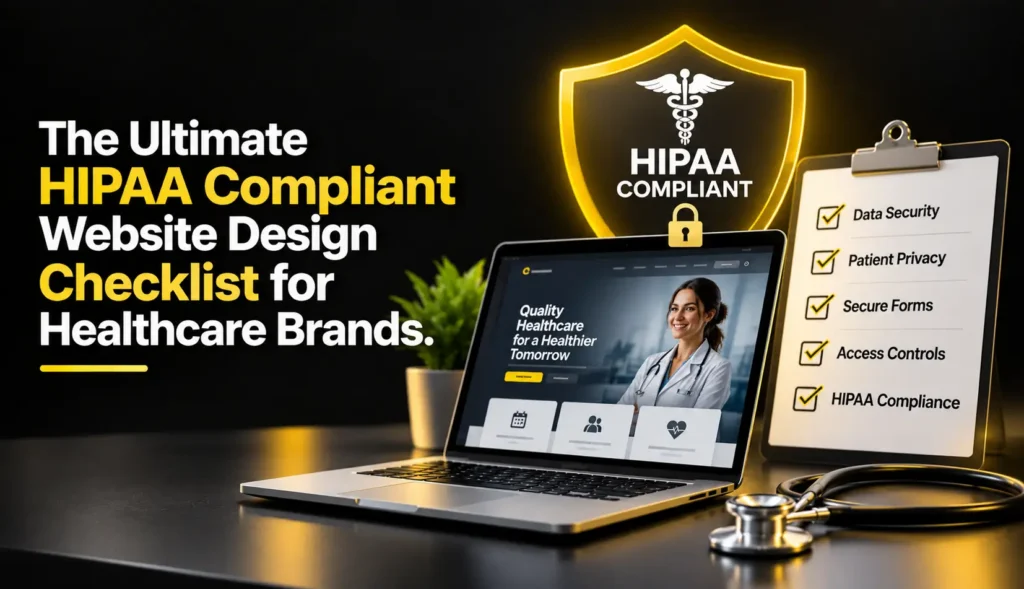
To help medical brands build digital experiences that are both visually compelling and legally sound, the team at Sertain Creative has put together this comprehensive HIPAA compliant website design checklist. Whether you are auditing an existing site or planning a complete redesign, use this step-by-step guide to meet every technical, administrative, and physical safeguard required under federal law.
When Does a Website Actually Need to Be HIPAA Compliant?
One of the biggest misconceptions among clinic directors and marketing teams is assuming that HIPAA only applies to Electronic Health Record (EHR) portals. In reality, HIPAA website requirements apply the moment your website collects, stores, transmits, or processes Electronic Protected Health Information (ePHI) on behalf of a Covered Entity or Business Associate.
Under the HHS Summary of the HIPAA Security Rule, Protected Health Information (PHI) includes any individually identifiable health information—such as a patient’s name, email address, phone number, IP address, or appointment date—when paired with details about their physical or mental health condition, treatment inquiry, or payment for healthcare services.
Consider these everyday website interactions that immediately turn a standard marketing site into a protected health information (PHI) website:
-
Appointment Request Forms: A visitor submits their name, phone number, and selects “Hormone Replacement Therapy” or “Botox Consultation” from a dropdown menu.
-
Live Chat & AI Intake Bots: A prospective patient types, “Do you accept Blue Cross for physical therapy after knee surgery?”
-
Patient Portals & Bill Pay: Any embedded widget allowing patients to view lab results, upload insurance cards, or pay medical invoices.
-
Behavioral Tracking on Condition Pages: Recent OCR guidance has clarified that tracking technologies (like third-party ad pixels) that link a user’s IP address to specific medical condition pages or appointment booking flows can constitute an impermissible disclosure of ePHI.
If your website does any of the above, standard web development practices are not enough. You need a dedicated HIPAA compliant web design architecture from the server level up to the user interface.
The 10-Point HIPAA Compliant Website Design Checklist
Use the ten checkpoints below as your blueprint during discovery, wireframing, development, and quality assurace.
1. Sign a Business Associate Agreement (BAA) With Your Web Host
Compliance starts at the infrastructure layer. Under HIPAA regulations, any third-party vendor that creates, receives, maintains, or transmits ePHI on your behalf is classified as a Business Associate. Before a single line of code goes live, you must execute a legally binding Business Associate Agreement (BAA) with your hosting provider.
Standard shared hosting plans from budget providers (such as basic GoDaddy, Bluehost, or standard HostGator tiers) will not sign a BAA. Even if you install security plugins on top of them, hosting a healthcare site that captures patient inquiries without a signed BAA is an automatic violation.
Actionable Hosting Requirements:
-
Select HIPAA-Eligible Cloud Infrastructure: Utilize dedicated HIPAA-compliant hosting environments such as AWS (with AWS Artifact BAA), Google Cloud Platform, Microsoft Azure, Liquid Web, or specialized healthcare-focused managed WordPress hosts like WP Engine (Enterprise/HIPAA tiers) or Kinsta (Enterprise with BAA).
-
Verify Physical Safeguards: Ensure your host maintains SOC 2 Type II compliance, biometric data center access controls, 24/7 physical security, and redundant power systems.
-
Isolate Server Environments: Avoid shared multi-tenant servers where another website’s vulnerability could compromise your database. Opt for dedicated virtual private servers (VPS) or isolated cloud containers.
-
Document Every Vendor BAA: Maintain a centralized compliance binder containing signed BAAs not just for your web host, but also for your CDN, email relay service, CRM, and form processor.
2. Enforce End-to-End SSL/TLS Encryption (HTTPS Everywhere)
Encryption in transit ensures that data traveling between a patient’s web browser and your web server cannot be intercepted, read, or altered by malicious actors on public Wi-Fi networks or compromised routers.
Actionable Encryption Requirements:
-
Deploy TLS 1.2 or TLS 1.3: Disable outdated, vulnerable protocols (SSLv3, TLS 1.0, and TLS 1.1) at the server configuration level.
-
Enforce Site-Wide HTTPS: Implement strict 301 redirects from
http://tohttps://and enable HTTP Strict Transport Security (HSTS) headers so browsers never attempt an unencrypted connection. -
Eliminate Mixed Content Warnings: Ensure every external script, font, stylesheet, and image loads over HTTPS. A single insecure asset can break the browser’s security lock icon and erode patient confidence.
-
Encrypt Data at Rest: Alongside transit encryption, ensure your database, file storage volumes, and server drives use AES-256 bit encryption so stolen hardware or leaked snapshots remain unreadable.
3. Use Encrypted, HIPAA-Compliant Contact and Intake Forms
Standard website contact forms—like default Contact Form 7, standard Gravity Forms setups, or basic Webflow forms—are the single most common point of HIPAA failure. By default, these tools store form entries in an unencrypted website database and email the plaintext submission directly to a clinic’s inbox. Standard email is neither encrypted end-to-end nor protected by a BAA.
Actionable Form Requirements:
-
Integrate BAA-Backed Form Providers: Use dedicated HIPAA compliant contact forms such as Jotform Enterprise (HIPAA tier), Formstack, Paubox Forms, or LuxSci.
-
Disable Unencrypted Email Notifications: Never send patient names, phone numbers, or medical questions inside the body of a notification email. Instead, configure your form system to send a generic alert (“You have a new secure message in your HIPAA portal”) that requires staff to log in via MFA to view the submission.
-
Minimize Data Collection: Apply the HIPAA “Minimum Necessary” standard. If a marketing contact form only needs a name, phone number, and preferred callback time, do not ask for their date of birth, insurance ID, or detailed medical history on an initial lead form.
-
Purge Website Database Entries: If your CMS temporarily handles form routing, configure automated scripts to wipe submission data from the local web database immediately after encrypted transmission to your EHR or HIPAA-compliant CRM.
4. Audit Third-Party Tracking Pixels and Analytics (Meta, Google Analytics)
In recent years, healthcare organizations have faced intense regulatory scrutiny and multimillion-dollar settlements over tracking pixels. According to the HHS OCR Bulletin on Online Tracking Technologies, firing third-party trackers on authenticated patient portals—or on unauthenticated pages that reveal intent to seek specific medical care—can violate HIPAA if the vendor refuses to sign a BAA.
Neither Meta (Facebook/Instagram) nor Google (for Google Analytics 4 or Google Ads) will sign a Business Associate Agreement for their standard marketing tags. When the Meta Pixel fires on a page titled /treatments/addiction-recovery or /services/fertility-clinic, it transmits the user’s IP address, browser fingerprint, and URL path directly to Meta’s advertising servers.
Actionable Analytics & Tracking Requirements:
-
Audit All Active Scripts: Use tag auditing tools to inspect every script firing via Google Tag Manager (GTM) or hardcoded header files.
-
Strip Pixels From Sensitive Flows: Remove Meta Pixels, TikTok Pixels, LinkedIn Insight Tags, and standard Google Analytics scripts from appointment booking pages, intake forms, patient portals, and condition-specific treatment pages.
-
Switch to HIPAA-Compliant Analytics: Replace standard GA4 on healthcare properties with privacy-first, BAA-ready analytics platforms such as Piwik PRO, Matomo (self-hosted on HIPAA servers), or Mixpanel (Enterprise HIPAA tier).
-
Use Server-Side Tagging & Consent Gateways: If you run paid digital campaigns, implement a HIPAA-compliant Customer Data Platform (CDP) like Freshpaint or RudderStack, which signs a BAA, strips all PII/PHI identifiers before forwarding anonymized conversion events, and keeps your ad optimization intact without risking compliance.
5. Secure Your Live Chat, AI Chatbots, and Scheduling Widgets
Modern patients expect instant gratification—whether that means booking a consultation at 10:00 PM or asking a quick question via live chat. However, embedding an off-the-shelf chat widget (like standard Intercom, Drift, or Tawk.to) or a generic calendar tool (like standard Calendly) creates an immediate compliance gap if patients enter health details.
Actionable Widget & Integration Requirements:
-
Verify BAAs for All Embedded Widgets: Before embedding any third-party script via an
<iframe>or JavaScript snippet, confirm the vendor offers a HIPAA-compliant plan and will execute a BAA. -
Choose Healthcare-Grade Scheduling: Integrate HIPAA-compliant scheduling solutions such as NexHealth, Zocdoc, Acuity Scheduling (Enterprise HIPAA tier), or direct EHR-integrated booking widgets (e.g., SimplePractice, Jane App, or ModMed).
-
Deploy Encrypted Live Chat: Use HIPAA-compliant patient communication platforms like Klara, Podium (HIPAA tier), OhMD, or Zendesk (Enterprise with HIPAA configuration).
-
Configure Bot Guardrails: If you use an AI triage or FAQ chatbot, program an upfront disclaimer instructing users not to share sensitive medical diagnoses in initial unauthenticated chat, or ensure the entire conversational pipeline runs on BAA-covered infrastructure.
6. Implement Role-Based Access Controls and Multi-Factor Authentication (MFA)
Even the strongest server encryption cannot protect a website if an intern, former contractor, or compromised admin password exposes your backend dashboard. HIPAA’s Technical Safeguards require strict access controls so only authorized personnel can view or modify system configurations.
Actionable Access Control Requirements:
-
Enforce Multi-Factor Authentication (MFA): Require app-based or hardware-key MFA (never SMS-only if avoidable) for 100% of users logging into your CMS (e.g., WordPress admin), hosting control panel, domain registrar, and form portal.
-
Apply the Principle of Least Privilege: Assign granular Role-Based Access Controls (RBAC). A copywriter or SEO specialist needs permission to edit blog posts, not export patient form submissions or modify server SSL settings.
-
Enforce Strong Password Policies & Session Timeouts: Require 16+ character passwords, prohibit password reuse, and configure automatic session logouts after 10–15 minutes of inactivity.
-
Maintain an Offboarding Protocol: Immediately revoke CMS, hosting, and analytics credentials whenever an employee leaves your organization or an external vendor wraps up a project.
7. Enable Automated Encrypted Backups and Off-Site Storage
Under the HIPAA Contingency Plan standard, healthcare organizations must maintain retrievable exact copies of electronic protected health information so operations can recover quickly from ransomware attacks, server hardware failures, or accidental deletions.
Actionable Backup Requirements:
-
Automate Daily Incremental Backups: Schedule automated daily database and file-system backups, with weekly full snapshots stored in a geographically separate, BAA-covered cloud region.
-
Encrypt Backup Archives: Ensure backup files are encrypted both during transfer and while stored at rest using AES-256 encryption.
-
Test Restoration Procedures: A backup is only as good as your last successful restore. Conduct quarterly disaster-recovery drills to verify data integrity and measure Recovery Time Objectives (RTO).
-
Purge Expired Backups Securely: Establish data retention schedules so outdated backups containing old ePHI are permanently wiped rather than lingering indefinitely on unmonitored storage buckets.
8. Configure Audit Logs and Intrusion Monitoring
HIPAA requires covered entities to implement hardware, software, and procedural mechanisms that record and examine activity in information systems containing ePHI. If a security incident ever occurs, forensic audit logs are essential for determining what happened, when it occurred, and whether patient data was exposed.
Actionable Monitoring Requirements:
-
Deploy a Web Application Firewall (WAF): Place your site behind an enterprise WAF (such as Cloudflare Enterprise with a BAA or AWS WAF) to block SQL injection, cross-site scripting (XSS), and DDoS attacks before traffic reaches your origin server.
-
Enable Immutable Audit Logging: Log every login attempt (successful and failed), password reset, user role change, plugin installation, and database query. Store logs in an immutable, write-once repository so attackers cannot erase their tracks.
-
Set Up Real-Time File Integrity Monitoring (FIM): Configure automated alerts whenever core CMS files, theme templates, or header scripts are altered unexpectedly—a critical early warning sign of malicious code injection.
-
Conduct Regular Vulnerability Scans: Run automated weekly malware and vulnerability scans alongside annual third-party penetration testing.
9. Publish a Clear, Accessible Privacy Policy and Notice of Privacy Practices
Transparency is both a legal requirement under the HIPAA Privacy Rule and a major trust signal for prospective patients evaluating your clinic online.
Actionable Legal & Content Requirements:
-
Link Your Website Privacy Policy in the Global Footer: Clearly explain what data your website collects, how cookies and analytics are used, how users can opt out of tracking, and how submitted information is safeguarded.
-
Provide a Prominent Notice of Privacy Practices (NPP): Covered entities must post their official HIPAA Notice of Privacy Practices prominently on their website and make it downloadable as an accessible PDF.
-
Include Form-Level Consent Disclaimers: Directly beneath every contact or consultation form, place a concise disclosure informing users how their message is encrypted and advising them never to use web forms for life-threatening medical emergencies (instructing them to call 911 instead).
10. Combine HIPAA Security With WCAG Accessibility and Modern UI/UX
Many healthcare brands mistakenly assume that a compliant website has to look clinical, rigid, or outdated. In reality, high-converting healthcare brands pair airtight backend security with calming, intuitive, and accessible user experiences.
Moreover, healthcare providers receiving federal funding (including Medicare and Medicaid) are subject to Section 504 and Section 1557 of the Affordable Care Act, requiring digital compliance with the Web Content Accessibility Guidelines (WCAG) 2.1 Level AA.
Actionable Design & UX Requirements:
-
Design for Cognitive Calm and Clarity: Use clean typography, generous white space, reassuring color palettes, and clear visual hierarchy so anxious patients can find providers, services, and insurance information effortlessly.
-
Build Accessible Navigation and Forms: Ensure proper color contrast ratios (at least 4.5:1 for body text), keyboard-navigable menus, descriptive
alttext on all medical imagery, and explicit screen-reader labels on every form field. -
Optimize Mobile Performance: Over 65% of healthcare searches happen on mobile devices. Ensure fast Core Web Vitals, thumb-friendly tap targets, and frictionless mobile booking flows—without sacrificing encryption.
Common HIPAA Website Mistakes That Quietly Violate Compliance
Even well-funded medical practices frequently stumble into compliance traps when working with generalist web designers who lack healthcare experience. Watch out for these five silent violations:
| Common Website Practice | Why It Violates HIPAA | Compliant Alternative |
|---|---|---|
| Standard WordPress Contact Forms | Stores submissions in an unencrypted MySQL database and sends plaintext emails to staff. | Use BAA-backed encrypted forms (e.g., Jotform Enterprise, Paubox) with portal-only notifications. |
| Default Meta Pixel & GA4 Setup | Links visitor IP addresses to condition-specific URLs and sends them to ad networks without a BAA. | Remove ad pixels from sensitive pages or route anonymized events through a HIPAA CDP like Freshpaint. |
| Shared Budget Web Hosting | Hosting providers refuse to sign a BAA and lack isolated server environments. | Migrate to dedicated HIPAA cloud hosting (AWS, GCP, Liquid Web, or WP Engine HIPAA tier) with a signed BAA. |
| Unencrypted PDF Intake Packets | Patients download a PDF, fill it out, and email it back as a regular unencrypted attachment. | Replace downloadable PDFs with mobile-friendly, encrypted digital intake workflows. |
| Public Testimonials With Clinical Details | Reposting a patient’s review or before/after photo without explicit, written HIPAA marketing authorization. | Obtain signed, HIPAA-compliant media and testimonial release forms before publishing any patient story. |
How Sertain Creative Builds Compliant, High-Converting Healthcare Websites
Navigating federal privacy regulations shouldn’t force you to compromise on brand storytelling, search engine visibility, or patient conversion rates.
At Sertain Creative, we partner with healthcare clinics, medical spas, wellness innovators, and healthcare legal practices to engineer digital platforms that excel on both fronts. From architecting HIPAA-aligned workflows for medical brands like JUVA-PRP and Rejuvenation Medspa to supporting regulatory leaders like Florida Healthcare Lawfirm, our team understands the exact intersection of design, compliance, and growth.
Explore our healthcare and wellness industry expertise or browse our recent client case studies to see how thoughtful branding and disciplined technical execution turn digital visitors into lifelong patients.
Frequently Asked Questions
Is WordPress HIPAA compliant out of the box?
No. A default WordPress setup is not HIPAA compliant on its own—it requires BAA-backed hosting, SSL/TLS encryption, MFA, encrypted form handling, and careful plugin and tracking controls.
Does Google Analytics violate HIPAA?
Using standard Google Analytics 4 (GA4) on pages that capture PHI or tie visitor identifiers to condition-specific care or appointments can create compliance risk because Google does not sign a BAA for standard GA4. Use privacy-first or BAA-backed analytics and remove ad pixels from sensitive pages.
What happens if a healthcare website is not HIPAA compliant?
Violations can trigger HHS OCR penalties (up to over $2 million per year for repeated/uncorrected issues), mandatory breach notifications, state privacy investigations, legal claims, and lost patient trust.
Do medspas and wellness clinics need a HIPAA compliant website?
Yes, if your practice is a covered entity or business associate handling ePHI (such as clinical intake, insurance/medical billing workflows, or medical-director-led treatments), and state health privacy laws may also apply even when federal HIPAA is narrower.
Conclusion
A high-performing healthcare website should build patient confidence without exposing sensitive health data. By pairing a BAA-covered hosting stack, strong encryption, secure intake forms, and disciplined analytics with clear UX and accessibility, Sertain Creative helps healthcare and wellness brands grow safely.
Book a Free Healthcare Website & Compliance Strategy Call with Sertain Creative to audit your current website or plan a compliant redesign.